Your waiters know which table needs them, before they're called twice
Water, bill and help requests and "food ready" alerts arrive on the waiter's own phone, with a chime. Waiters can take an order at the table too.
Free trial, no card needed.
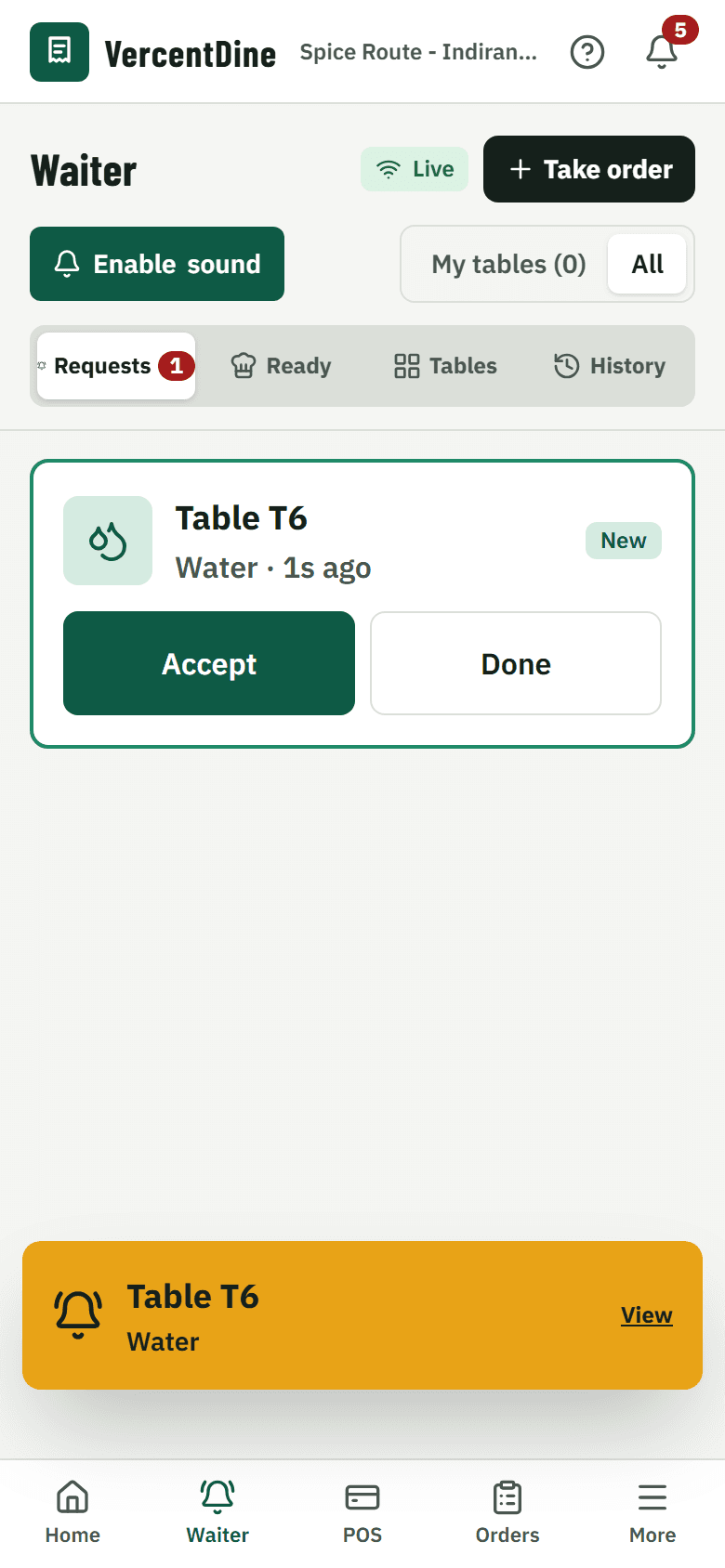
How it works during service
1. Called
A guest taps "Call waiter" or asks for water or the bill. The request appears on the waiter's phone with a chime.
2. Acknowledged
The waiter accepts it, so the guest sees someone is on the way and nobody else goes.
3. Food ready
When the kitchen marks an order ready, the waiter for that table is told which table to serve.
4. Served
Mark it served; unanswered requests send a reminder after the time you set.
What's included
My tables or all
Waiters see their own tables by default and can switch to the whole floor.
Take orders at the table
Add dishes from the phone; they go to the kitchen like any other order.
Reminders
A request nobody has answered chimes again, so tables don't wait.
Request history
See what each table asked for and how quickly it was answered.
What it changes for your restaurant
- Guests aren't left waiting to catch someone's eye
- Food goes out while it is hot
- Managers can see how quickly tables were answered
Common questions
Do waiters need a special device?
No. The waiter app runs in the browser on any phone. Tap "Enable notification sound" once per phone.
Can I turn off some request types?
Yes. Choose which requests guests can make, and add your own, in Settings.
Works together with
- QR table orderingGuests order from the table
- Kitchen displayTickets on a screen, with sound
- Reservations and waitlistOnline bookings, walk-ins
Run your next service on VercentDine
14-day free trial, no card needed. Start with the sample menu and place a test order right away.