See the day's sales, the busy hours and the best sellers
Sales by day and hour, items and categories, tax, discounts and refunds, cash closures, kitchen speed, waiters and tables, for any date range.
Free trial, no card needed.
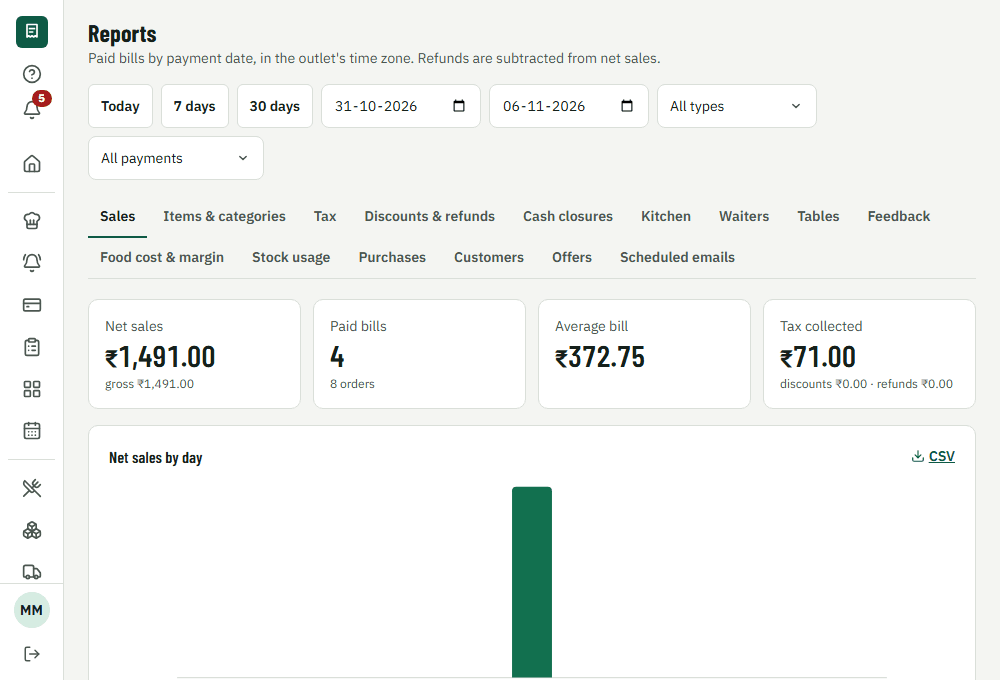
How it works during service
1. Pick a range
Today, 7 days, 30 days or any dates, in your outlet's own time zone.
2. Filter
By order type, payment method or outlet.
3. Read
Totals, daily sales, busy hours, best and worst sellers.
4. Share
Download any report as CSV, or have it emailed on a schedule.
What's included
Sales and tax
Gross, net, refunds, discounts and tax, reconciled with paid bills.
Items and categories
What sells, when, and what each dish contributes.
People and service
Kitchen times, waiter performance, table turns and guest feedback.
Food cost and stock
Food cost, margins, stock usage and purchases, when you use inventory.
What it changes for your restaurant
- Staff the busy hours, not the quiet ones
- See which dishes to promote or drop
- Hand your accountant tax and sales figures without retyping
Common questions
Can I export to Tally?
Yes. Download Tally-importable XML and accounting CSVs from Settings. Have your accountant check the first import.
Can reports be emailed automatically?
Yes. Schedule a report daily, weekly or monthly to staff who can see reports.
Works together with
- POS and billingTake orders and payments
- Inventory and food costStock, recipes and purchasing
- Loyalty and offersCustomers, offers, points

Start your free trial today
Set up your restaurant, try real workflows, and see the difference yourself. 14-day free trial, no card needed.